
Shadows and ambient Oclusion, take 2
This week with email? :O
Back Face Culling
Shading
My code was previously rendering triangles regardless of the side they were facing. That's OpenGL's default behavior but it is wasteful in most cases where closed geometry is rendered: a triangle facing away from the camera should always be covered by a triangle facing the camera.
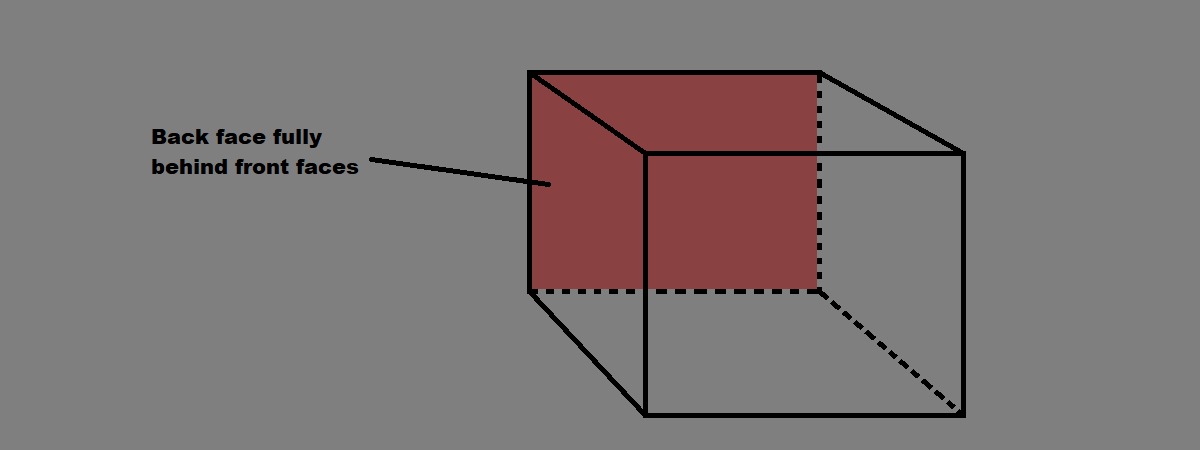
So, the fix was simple: only render front faces (and obviously fix some of my procedurally generated geometry that was wrongly oriented).
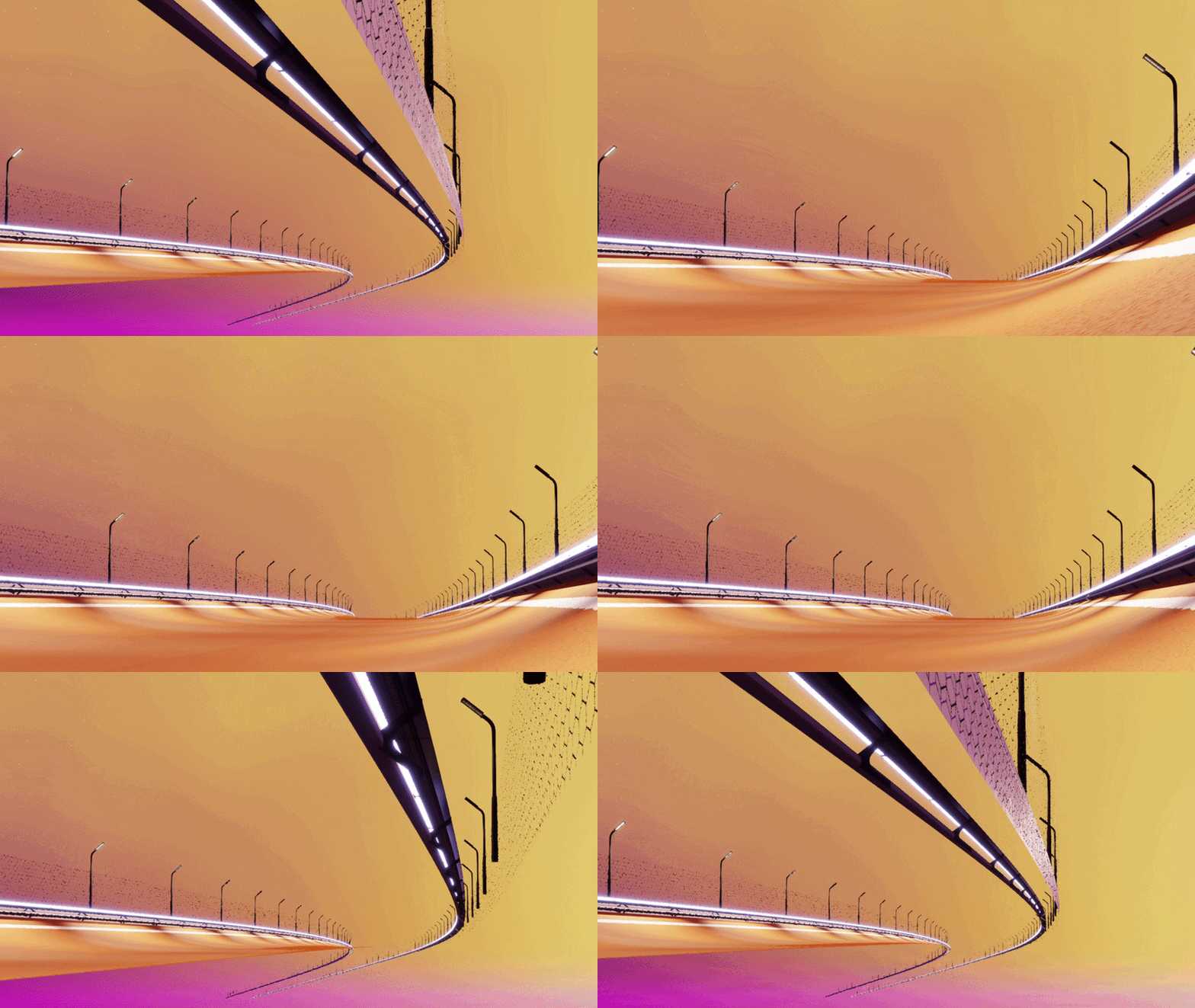
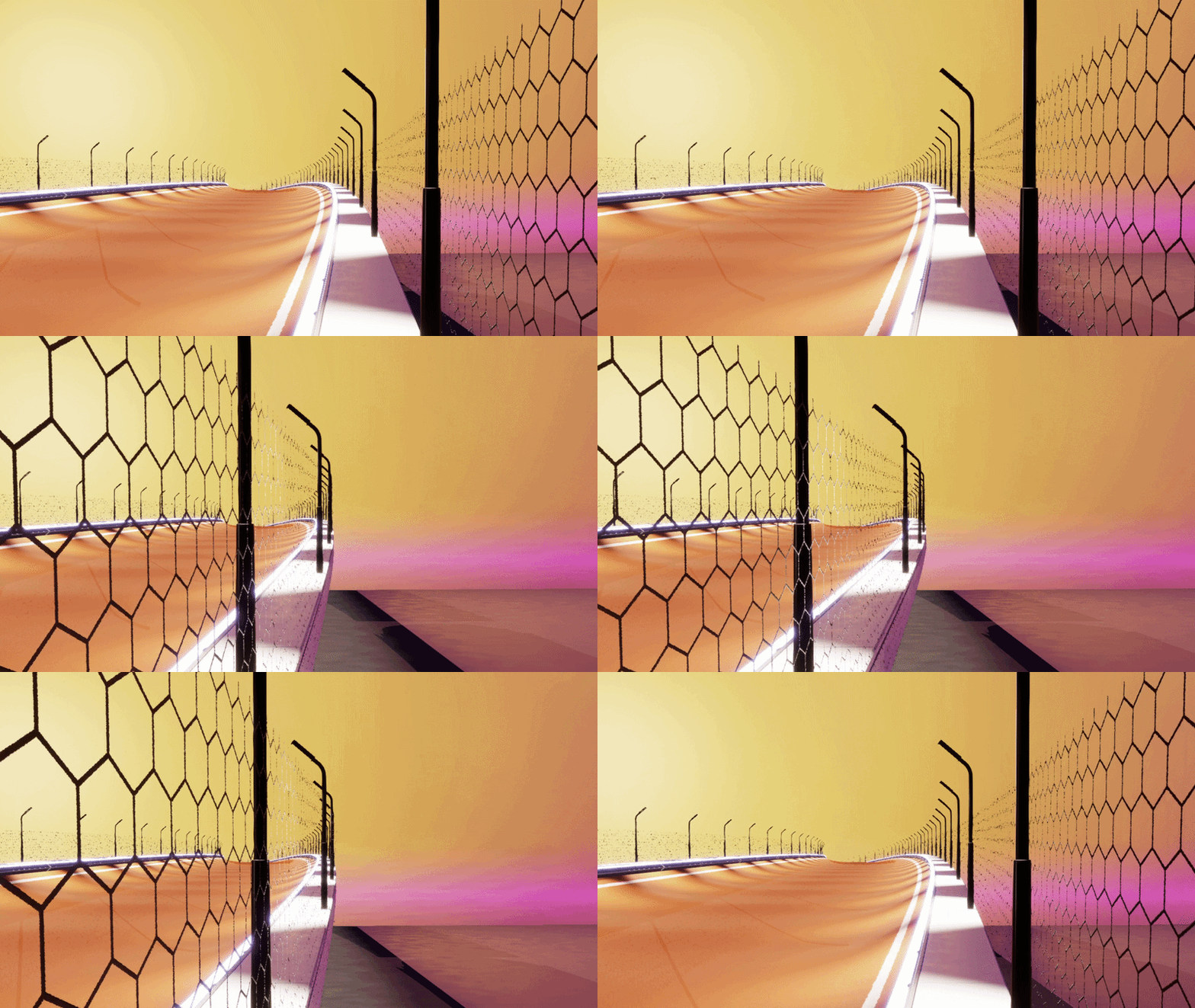
The issue is now with some geometry such as that fence I implemented last week: to simplify models, a triangle may have to represent both sides of the same object. So I added the option for specific shaders/materials to be rendered regardless of the triangle's facing:
Shadows
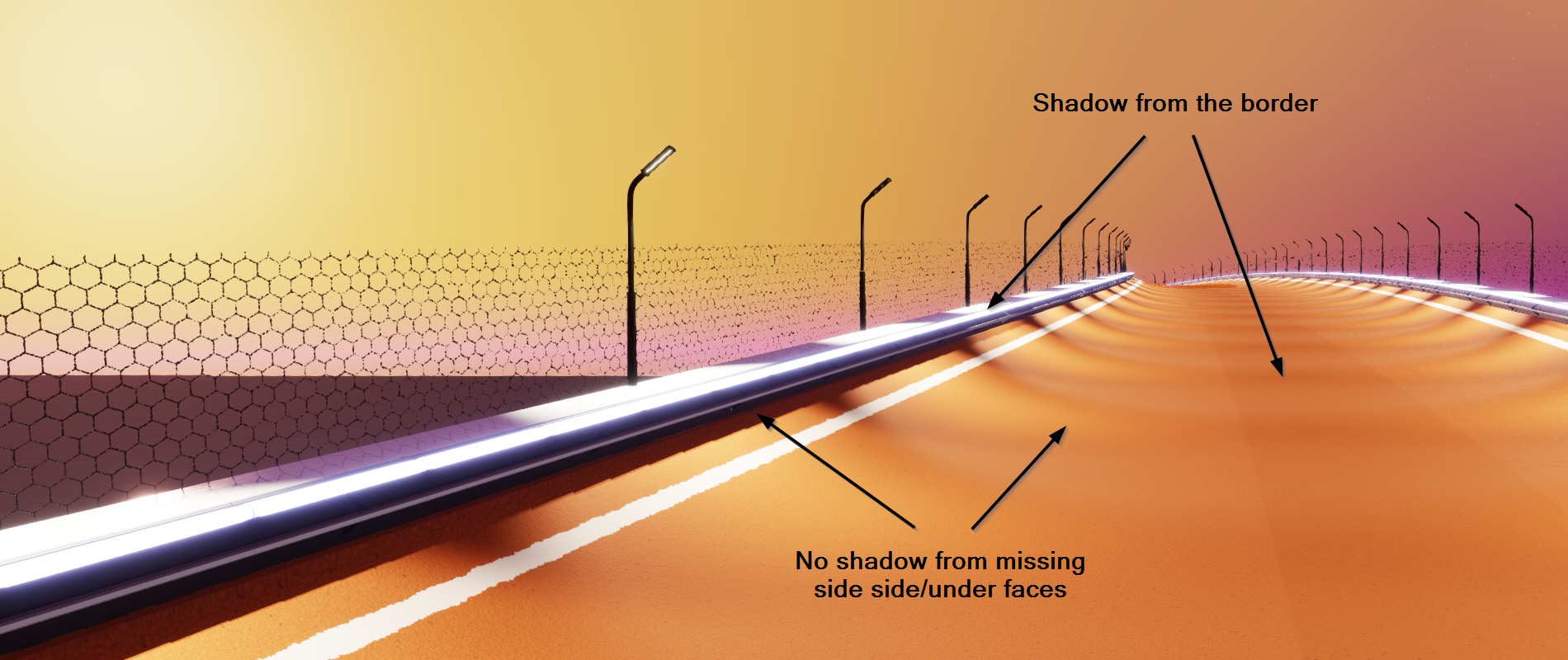
While I was at it, I also applied a classic trick when rendering shadows: instead of using the front faces (triangles facing the light), use the back faces this time. This removes shadow acne (when a triangle creates shadow on itself because of float approximation) almost entirely (at the cost of some Peter Panning effect).
Of course, my road generation algorithm being incomplete (I don't generate geometry for the under-road yet), this will temporarily create regions with missing shadows:
Ambient Occlusions
Slight Recap
As discussed in a previous post ambient occlusion is the process of dimming ambient light (that fake light present everywhere in non-raytraced graphics and that makes surfaces always a little bit visible to simulate light bouncing everywhere) where geometry creates narrow holes.
Computing how ambient light should be occluded can be an expensive endeavour but it greatly improves realism by making geometry feel "grounded".
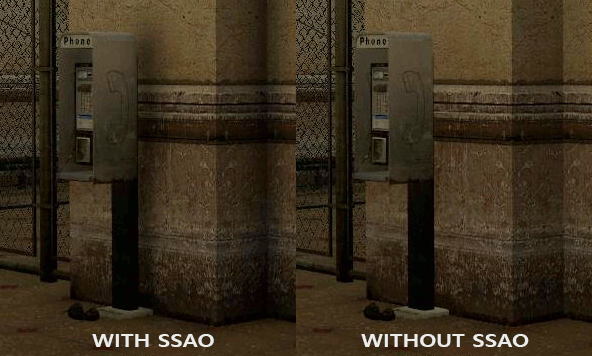
In games with static maps the ambient occlusion factor is often baked into a texture (per asset) and used at runtime to dim ambient light. But for open/big worlds, games with dynamic maps, or procedurally generated environments, it is not possible: the technique is to use SSAO: just like SSR, it uses screen information (depth, normals, etc.) to estimate ambient occlusion every frame.
Improvements
So I had mostly implemented the classical SSAO algorithm, but in worse. On top of being noisy and imprecise while creating physically inaccurate results (that's the limitations of SSAO) my implementation was erroneous and created visible strips of darker regions where applied.
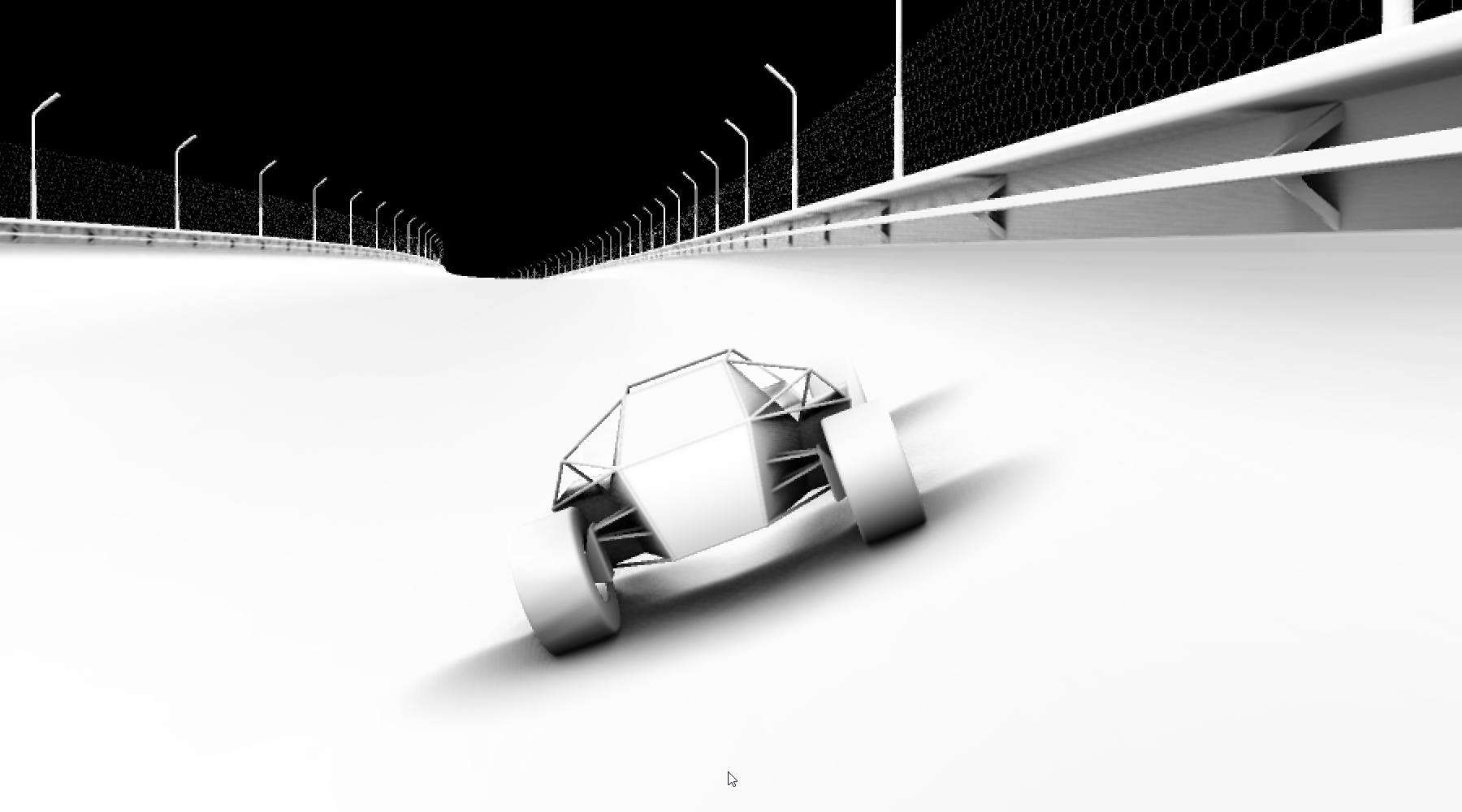
No need to reinvent the wheel, I implemented the Ground Truth Ambient Occlusion algorithm (GTAO, another type of screen-space ambient occlusion) which computes a physically accurate occlusion factor that doesn't struggle with details and produces less noise than the classical SSAO. I won't fake fully understanding a complex algorithm that smart graphics engineers spent years developing, but here is a great recap video of various ambient occlusion methods:
Here is what the new computed AO look like:
And here is shaded scene with/without AO:
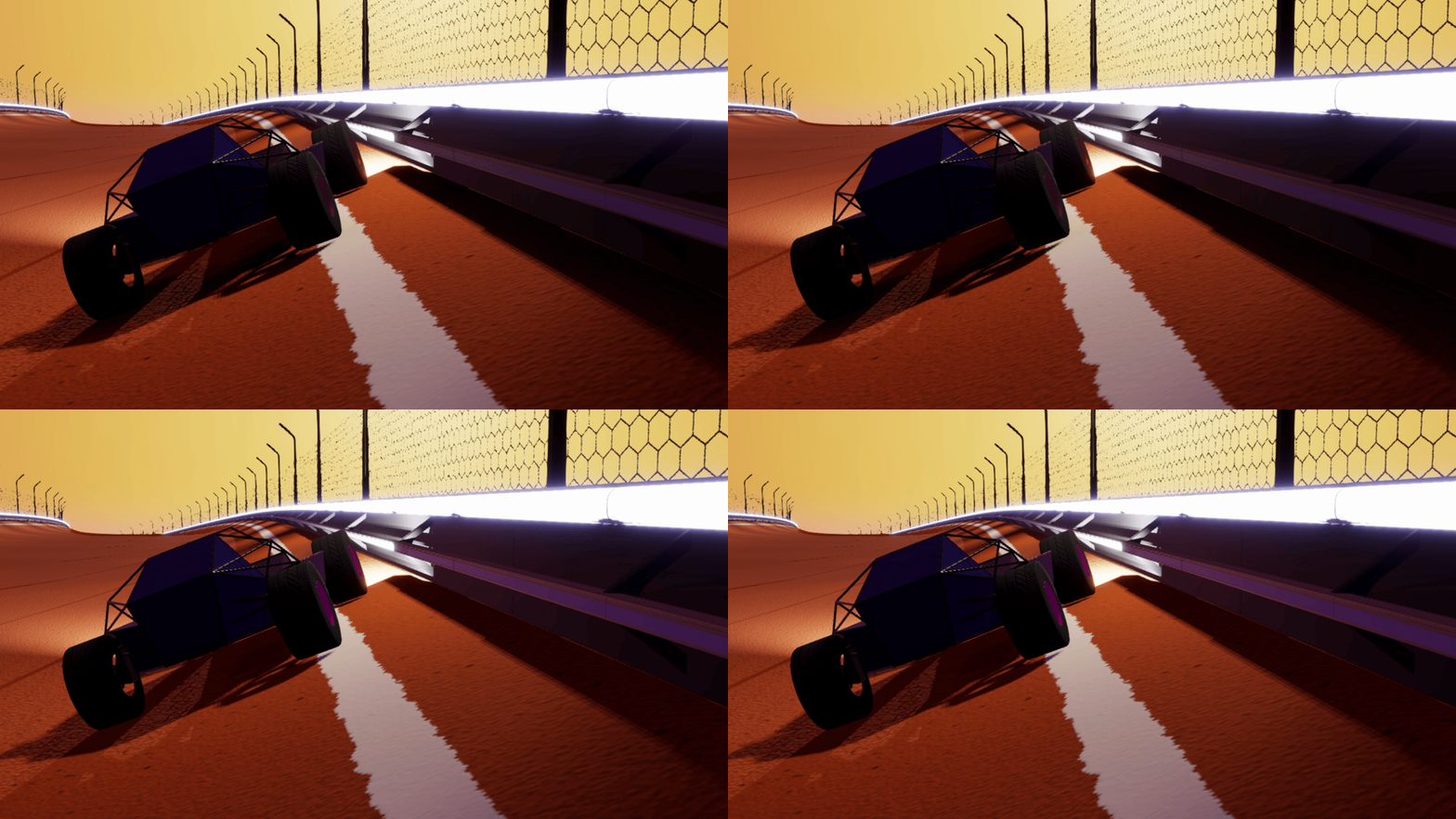
Another trick I'm gonna skim through is that this ambient occlusion factor is not only applied to ambient light, but also to the part of SSR that would reflect the sky. Think about it: if a ray (SSR) hits a surface, then it will reflect the surface's color which is already correctly shaded based on nearby lights and its own ambient occlusion (good). However if the ray doesn't hit a surface, its reflection is defaulted to the sky color which lacks the knowledge of whether sky's light can easily reach that pixel or not. Good news: that's what AO tries to estimate.
Improved Shadows
Two shadow-related issues to fix this week:
1. I wasn't sure the shadow maps were correctly attributed (reminder: I can only render shadow for 12 lights per frame, I need to choose them wisely)
2. Shadow would sometimes pop visibly
Slot Assignment Rules
The first issue I won't elaborate too much:
I had initially implemented a very rough estimate of "how visible a light is on screen". It was accounting for spot light's volume, as well as its distance to a point of interest ahead of the camera (kinda finicky to compute that point of interest in a way that gives good results in all situations).
I improved the approximation by more accurately estimating the portion of the light's cone that is visible on screen. It's still very rough, but it increases chances of giving shadows to lights that have a lot of impact on screen, without having to fiddle with this point of interest.
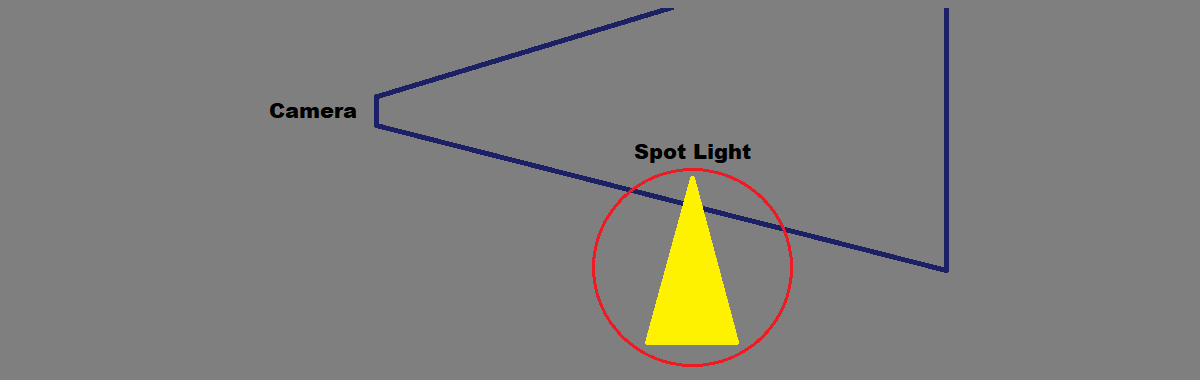
Above is an example of a spot light that previously would have had a good score but now is correctly reported as barely affecting the camera frustum.
Fading Shadows
For the second case, the idea I went for is applying a fade to applied shadows: if a light makes the cut (its importance is within top 12) but only by a small margin (the 13th light has a comparable importance score), its shadows are heavily faded. This means that if lights number 12 and 13 would suddenly switch rank, we wouldn't see crisp shadows suddenly appearing or disappearing.
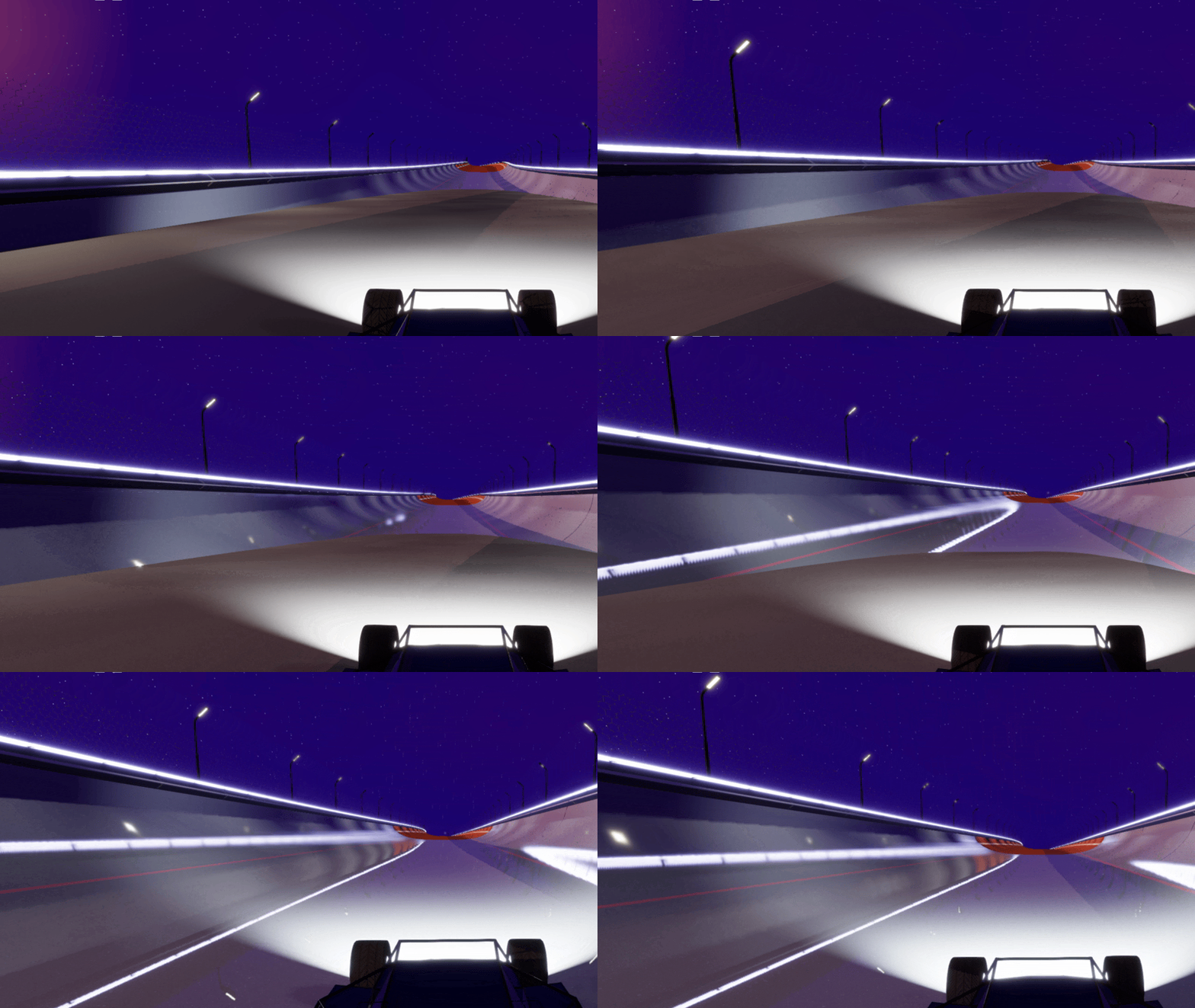
It's a bit better but not great: look at the shadows on the left wall.
I had to fix two additional issues of opposite nature:
1. as a light leaves the camera's frustum (e.g. car drives forward), its shadow map is suddenly free to be used by another light: a shadow suddenly appears (see above).
2. as a light enters the camera's frustum (e.g. car drives backward), it may steal the shadow map from another less important light whose shadow suddenly disappears (see below).
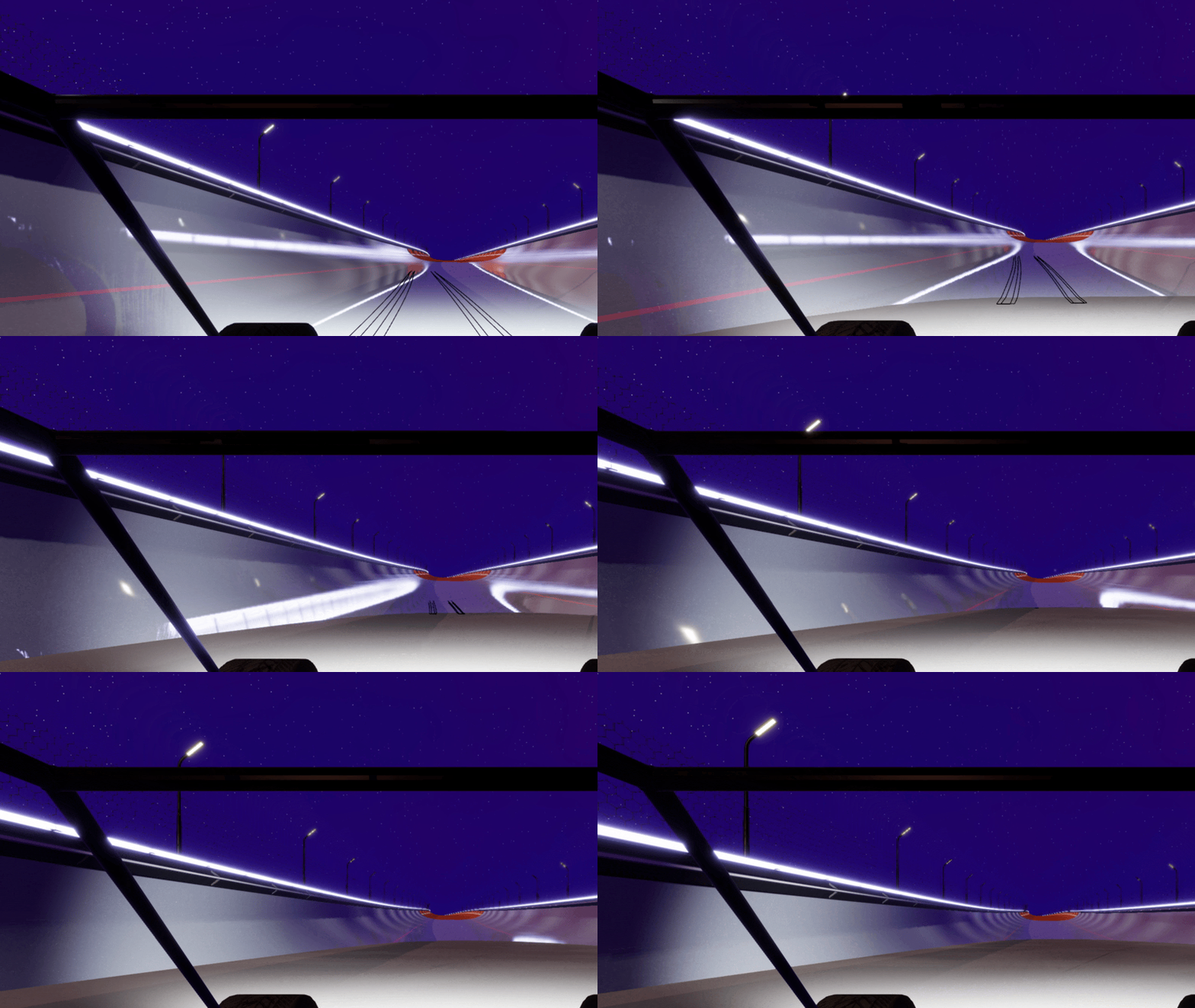
No fade related to a light's importance can fix those issues. For instance, if a light goes behind the camera, the new importance factor of lights 11th, 12th, and 13th may now be very different, and the shadow of the previously-faded light 11 may suddenly gain a lot of contrast.
My solution: add hysteresis and temporal decay of light's shadow fade. A light owning a shadow map slot may not lose it immediately if it loses importance (instead its shadow first fades out more or less quickly depending on the importance of that light waiting for the spot) and a light just being assigned a slot sees its shadows smoothly gain contrast over time (more or less quickly depending on its importance).
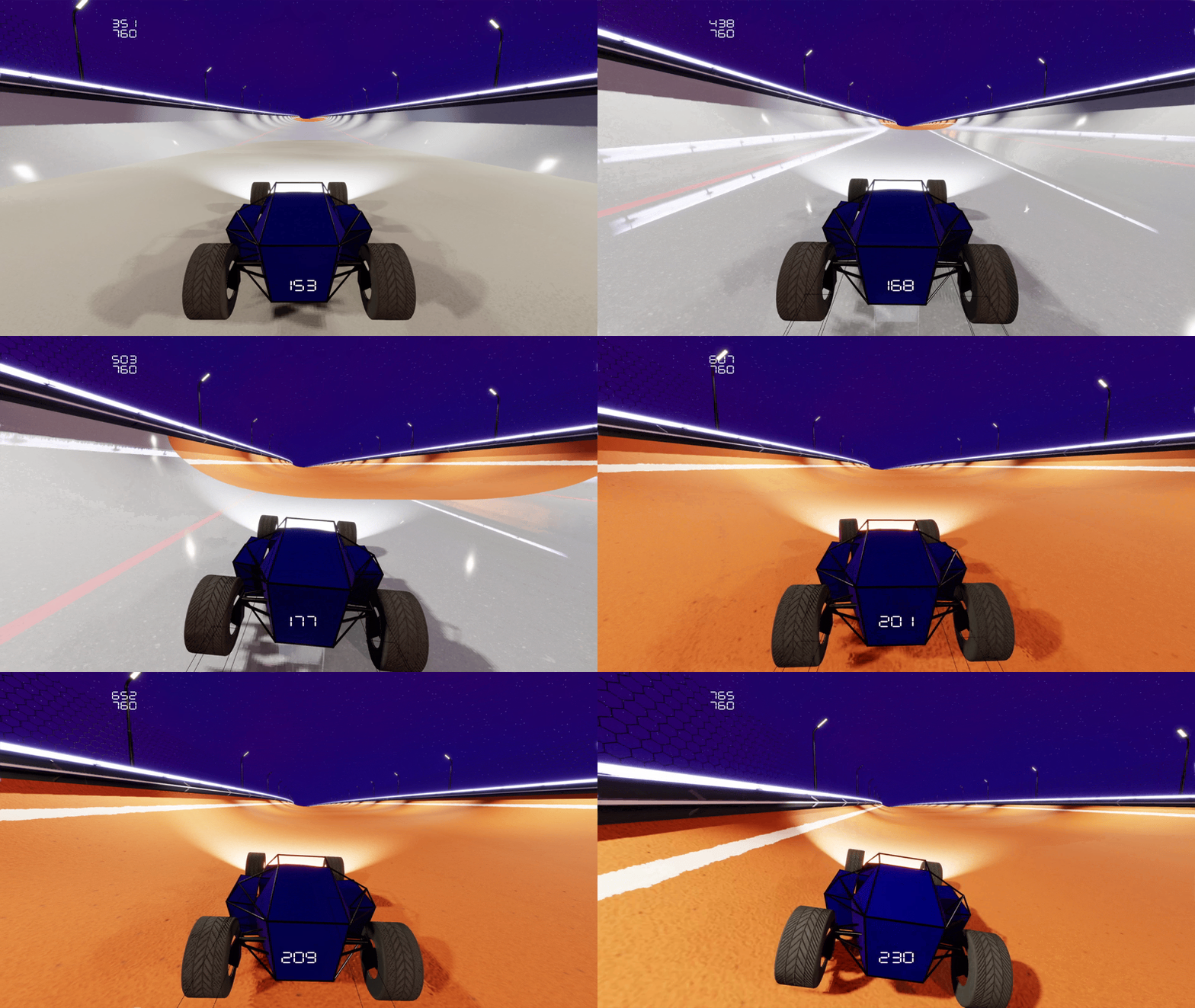
Gif above shows the shadow slowly fading in, especially visible as I instantly pause simulation.
Configuration
tldr; no time to write:
- I started working on extracting configuration structures (display and rendering for now) from the systems that use them
- this paves the way for loading configuration from files, and modifying them through a menu
Loading Screen
tldr; still no time but I'll elaborate next week with updates anyway:
I had already implemented a long time ago (before this newsletter existed) a way for the game to request a world change, but this wasn't used.
Instead my only world (a gym) was loaded at start, which would make the window hang for a couple seconds.
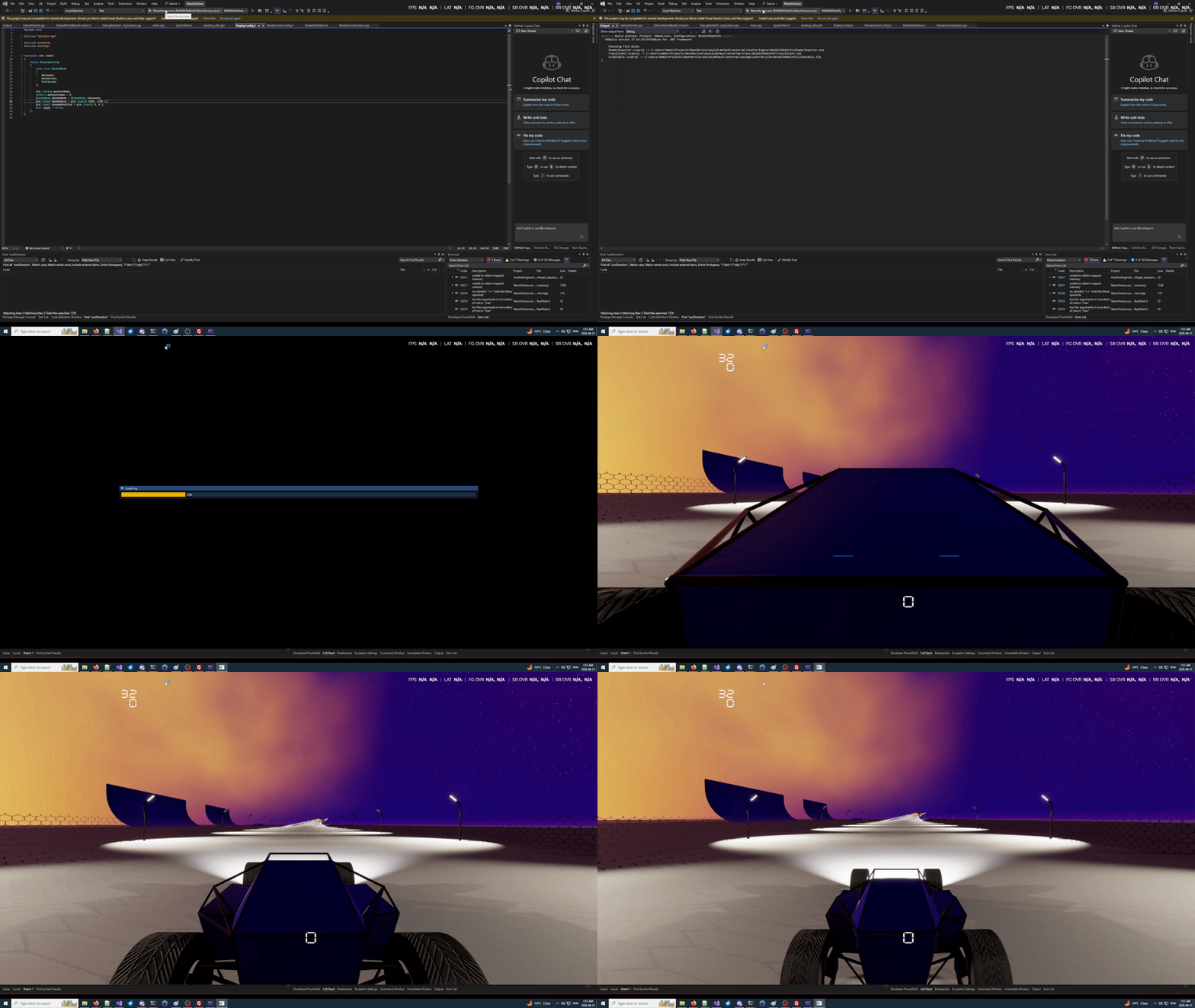
This week I paved the way for a proper loading screen. Here are key points about how I did this within my engine:
- a loading screen is just a lightweight world that renders something on screen (no unresponsive window) while loading another world
- my previous 2s load function became a coroutine (thanks c++23): I just had to add a few `co_yield
Bonus
Driving in AO world.